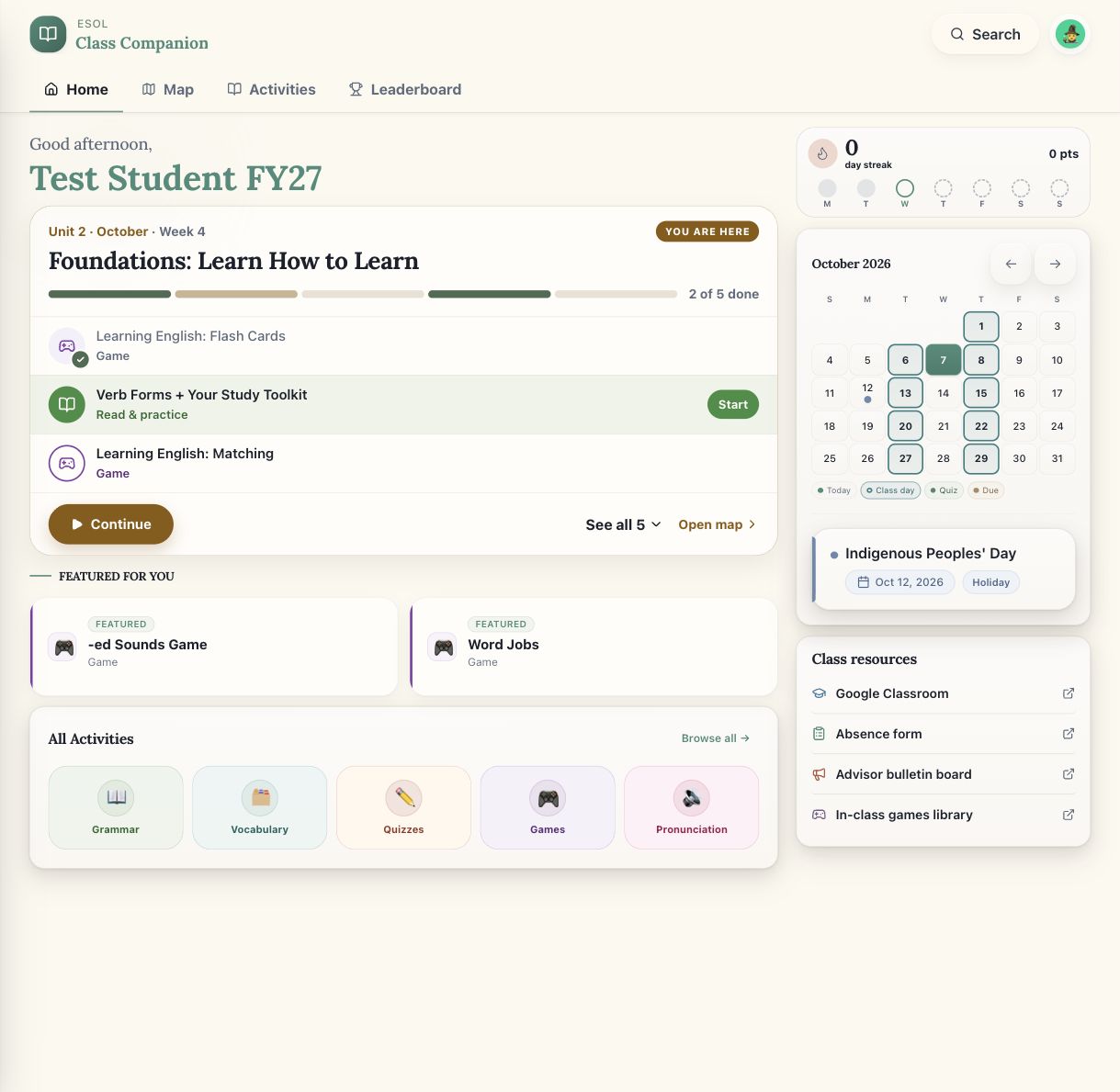
Learning needs to fit into a life already in motion.
My students are already carrying a lot. Work and childcare leave little uninterrupted time to study, and most of their practice happens on a phone: on the bus, on a break, after the kids are asleep. I wanted English practice to fit those moments without asking them to learn another complicated system first.
I also saw that without clear assigned work, students drift away between classes. So the app is built around one question: "What do I do now?" There is always a guided answer, and a library for when someone wants more.
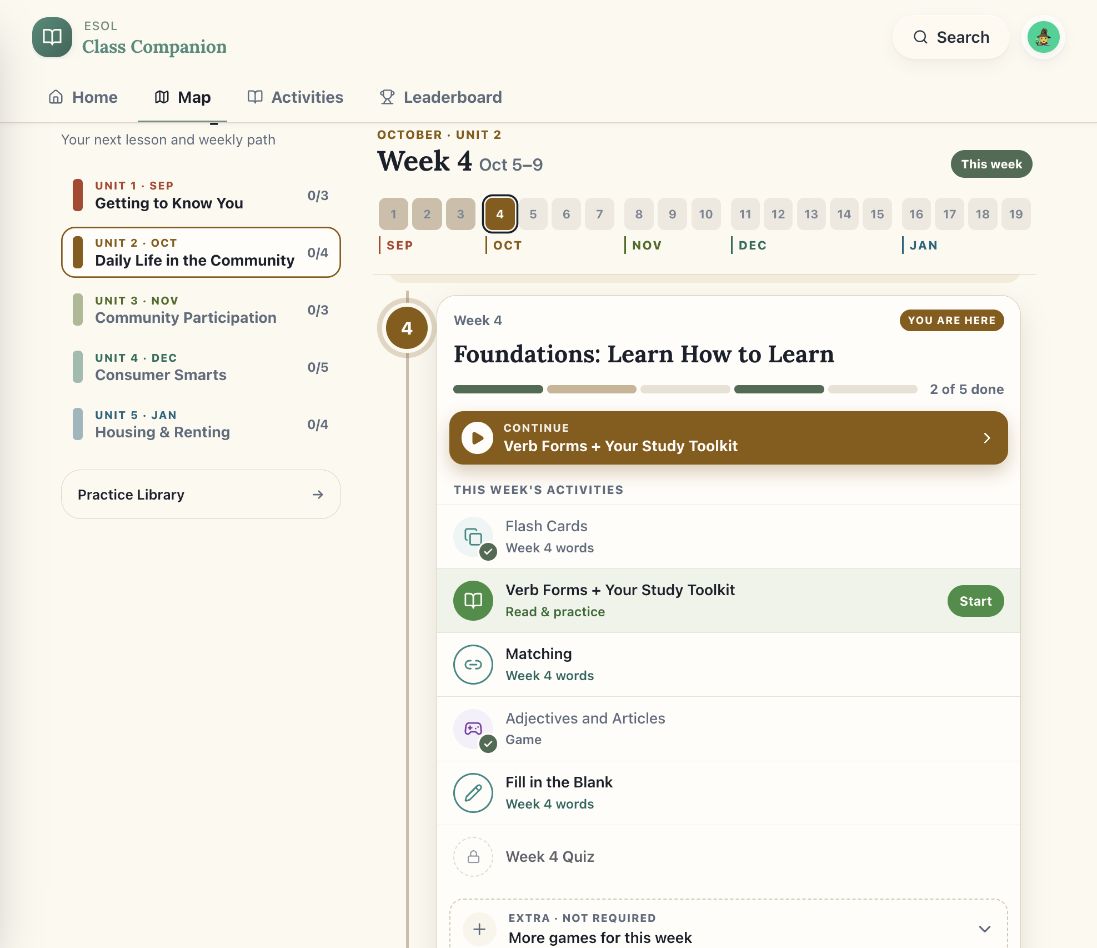
A path through the year, one week at a time.
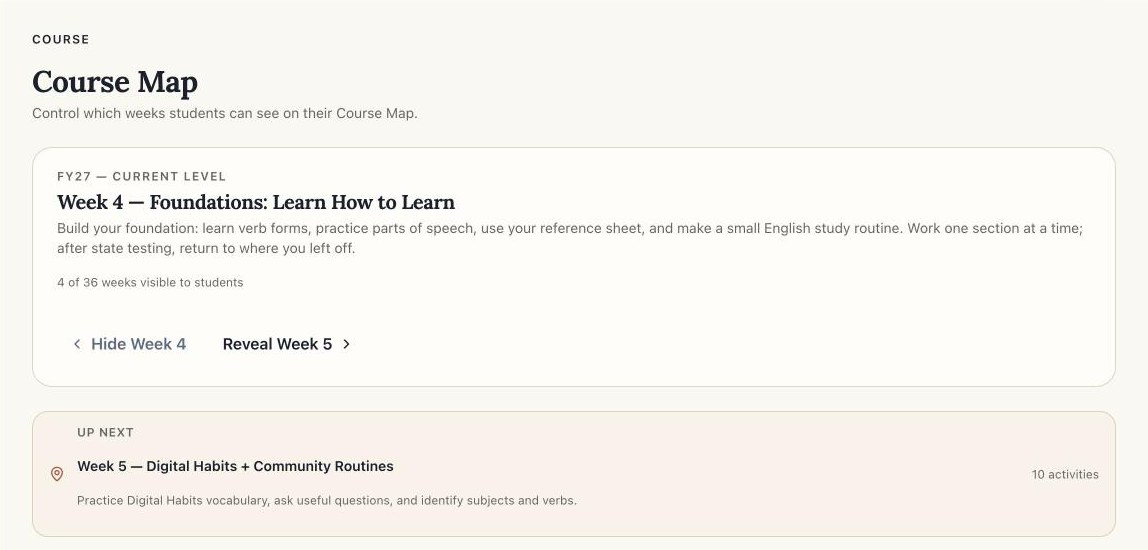
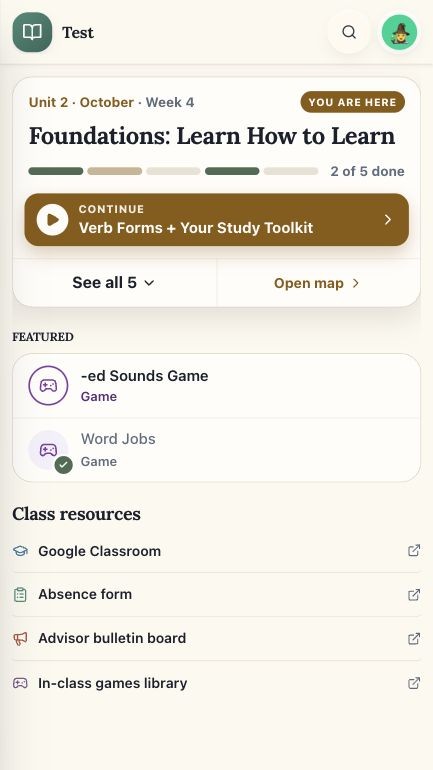
The course is mapped out as 10 units and 36 weeks, organized around adult life: community, consumer smarts, housing and renting, work and careers, and health care. Each week is a short list of activities with a Continue button that always points to the next one. The current week follows the school calendar, not the student's progress, so someone who missed a week still lands where the class is.
I keep three kinds of content separate on purpose. The course map is the guided path, and I release it a week at a time. The practice library is always open for students who want more. Assignments have due dates. Mixing these up is the easiest way to confuse a student about what is required, so the app treats them as different things all the way down to the data model.
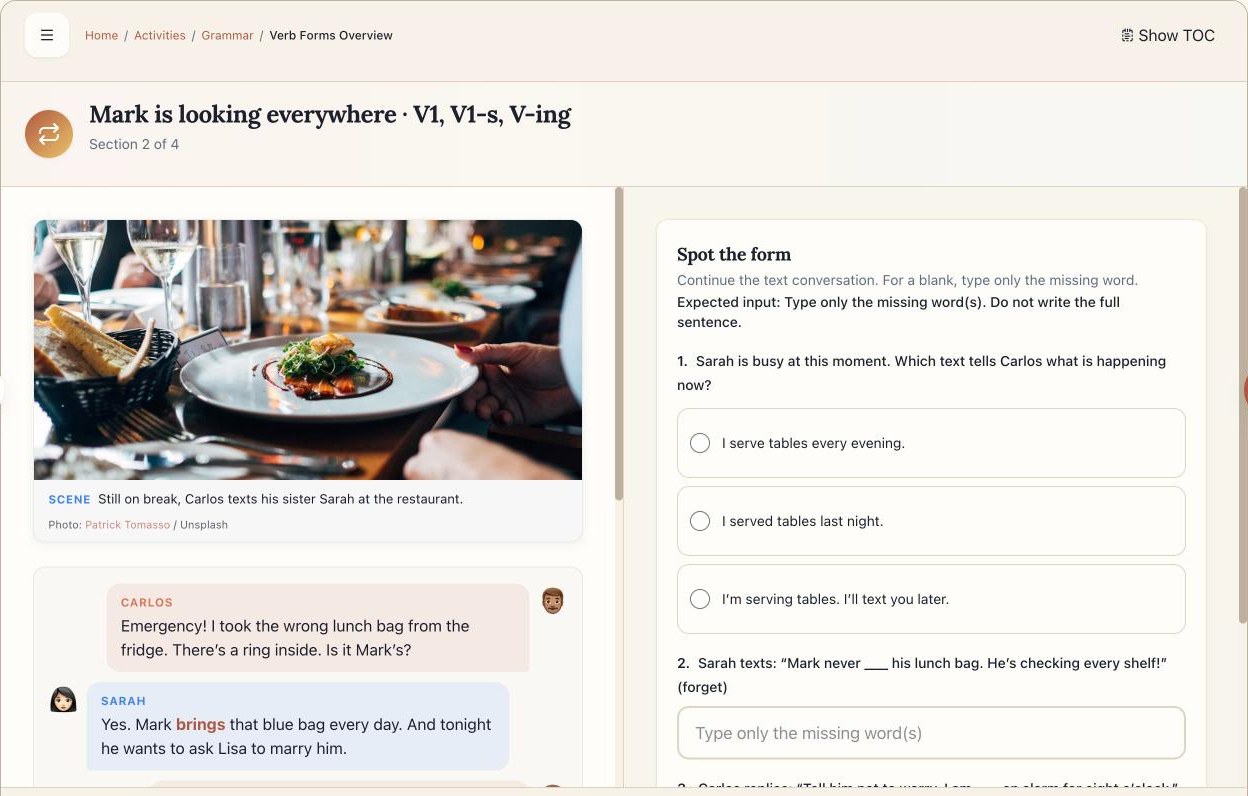
Grammar taught as a story students want to finish.
I wrote 76 interactive grammar guides. The newer ones follow a few characters through situations my students know: Carlos picks up the wrong lunch bag at work, texts his sister, and the verb forms show up in the messages. Each section opens with a scene and a short chat, then unlocks exercises next to the text so the example is still in view while students practice.
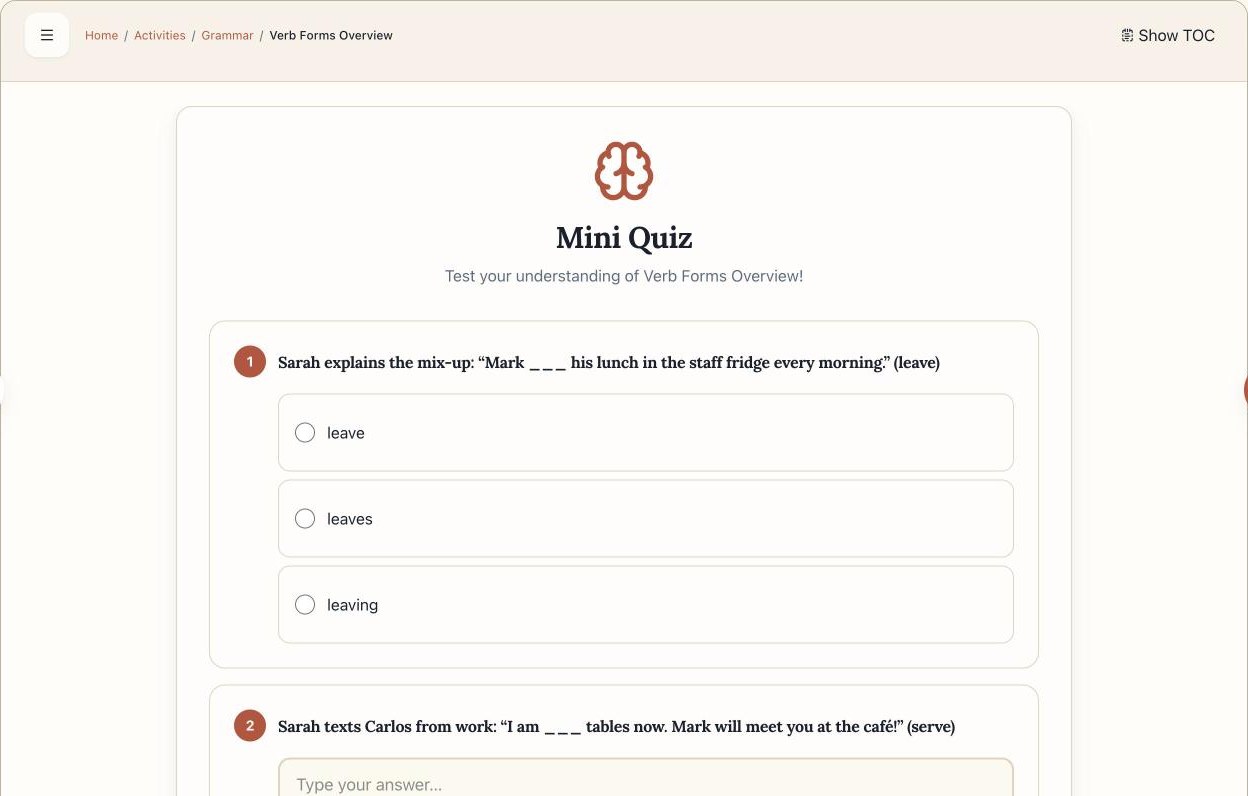
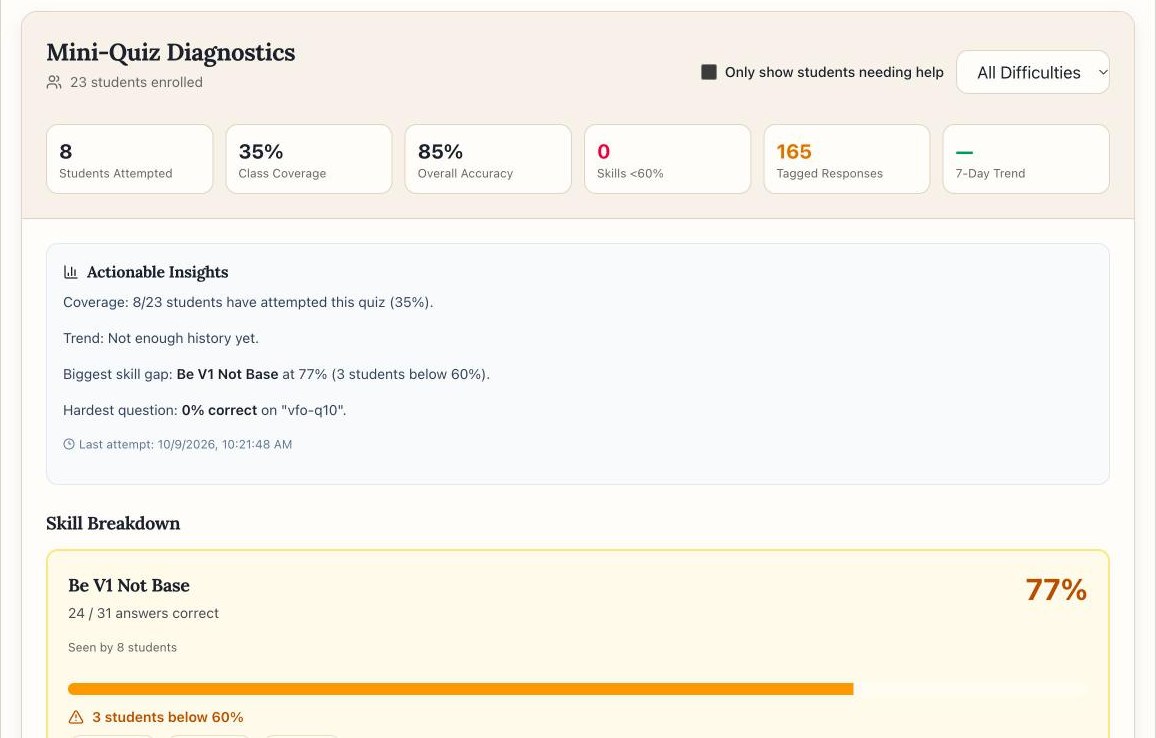
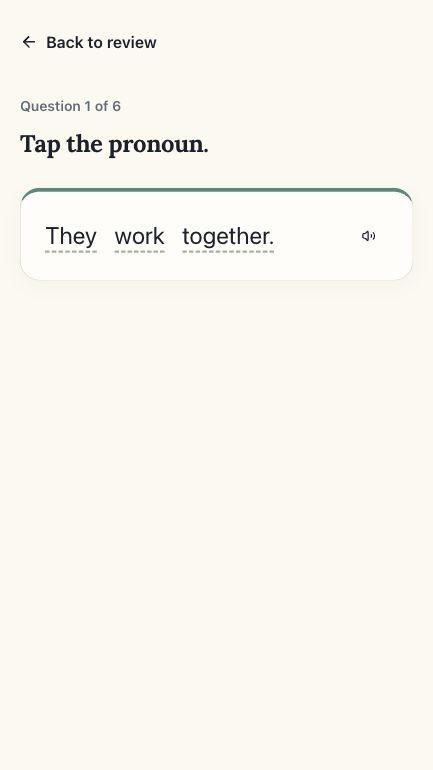
Every guide ends with a mini quiz written in the same storyline. Each question is tagged with the skill it checks, for example "be + V1, not base form." Those tags feed the teacher reports in the teacher's side below.
Practice built from my students' real week.
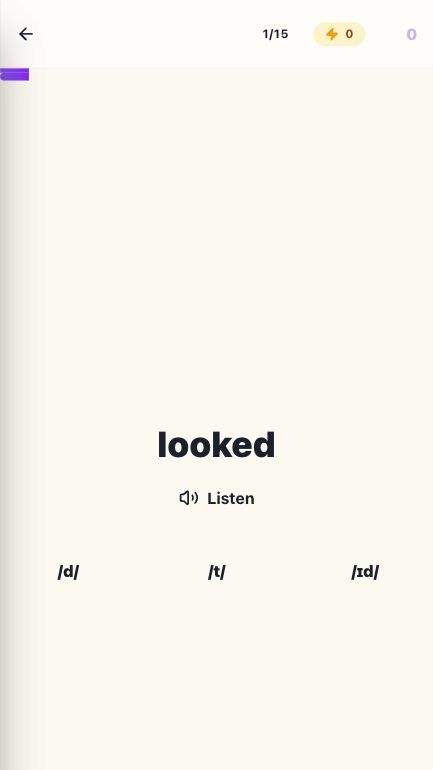
There are about 18 kinds of games, including verb speed rounds, sorting parts of speech, a "grammar hospital" for fixing broken sentences, and listening labs for sounds that are hard for Spanish speakers, like ship and sheep. The app has 1,203 recorded audio clips, so students can hear every vocabulary word and example sentence.
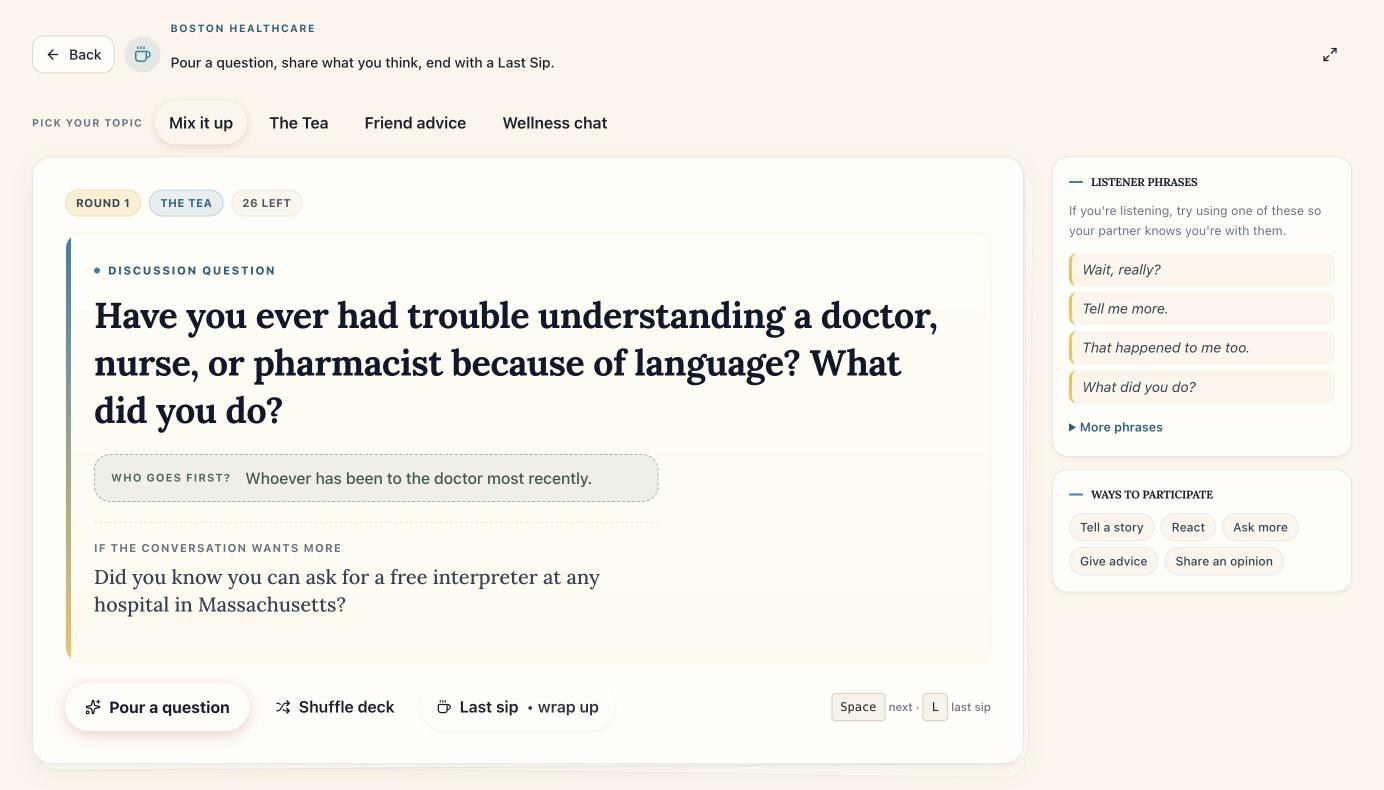
Some activities are meant for talking, not tapping. Café Catch-Up is a deck of discussion cards for pairs. This one is about going to the doctor in Boston. A follow-up question lets students know they can ask for a free medical interpreter, which is useful English and useful information at the same time.
The teacher's side: who is practicing, and what to reteach.
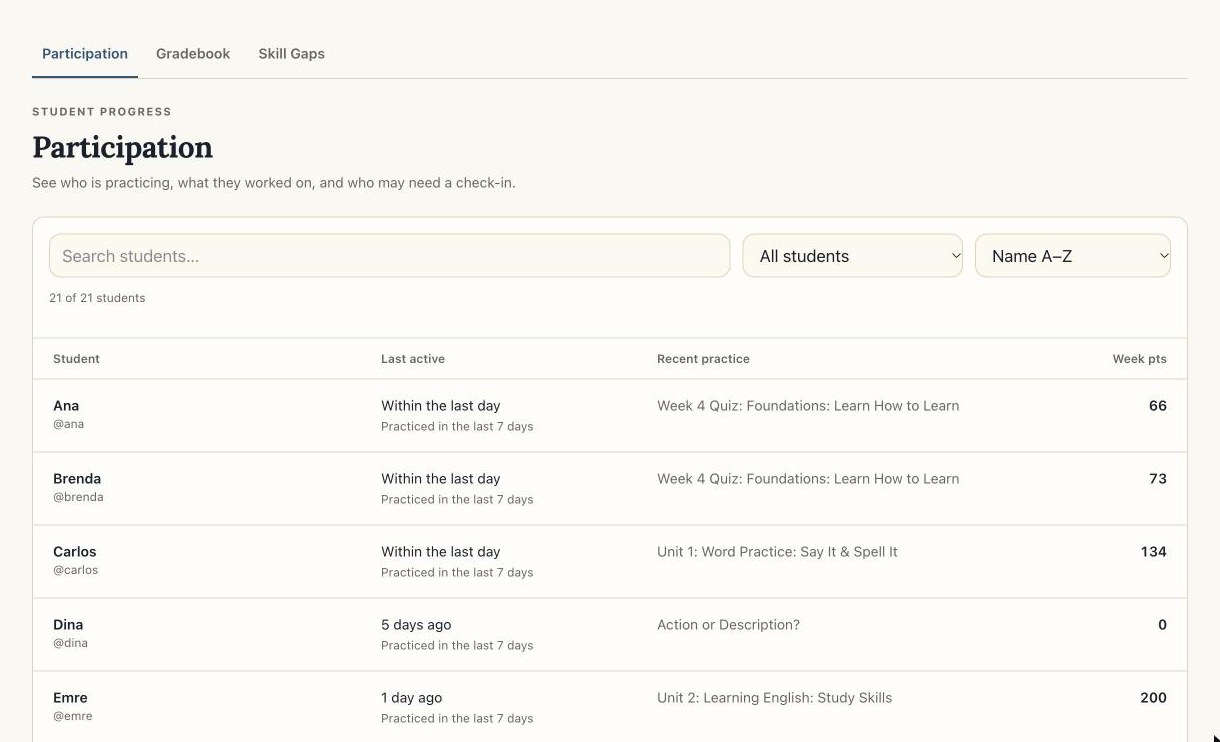
Most of my time as a teacher goes to noticing who is falling behind. The teaching workspace puts that up front. Participation shows who practiced this week, what they last worked on, and who has gone quiet, so I can check in before a student disappears.
Skill Gaps closes the loop with the mini quizzes. It groups every tagged answer by skill, so instead of one class average I can see which specific point needs reteaching and which students are having the most trouble with it.
I also control what students see. Weeks on the course map stay hidden until I reveal them, so the class moves together and nobody gets overwhelmed by a whole semester at once.
Effort deserves recognition, and recognition has to be reliable.
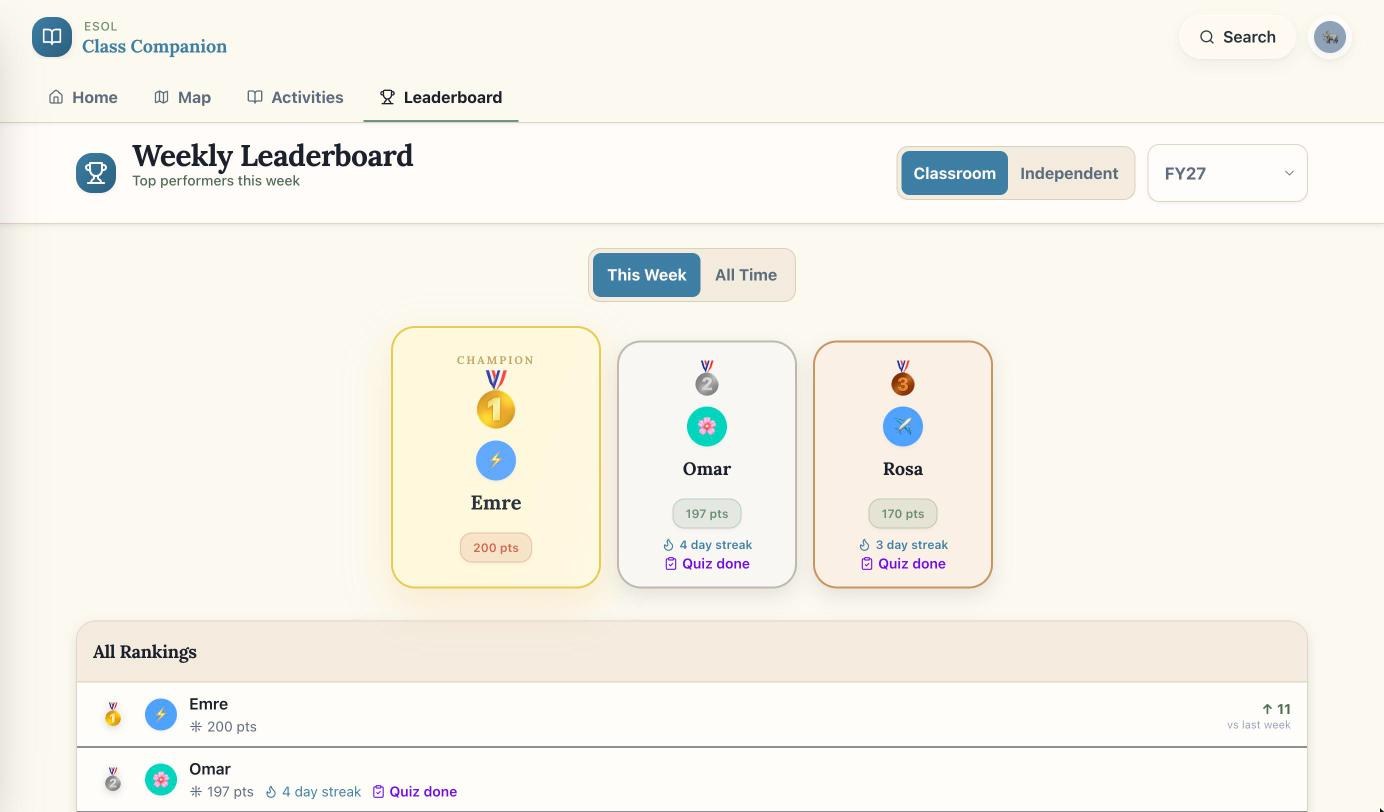
Points, streaks, and a weekly leaderboard matter to my students. That makes credit a promise: if a student finishes something on a train with bad signal, the points have to arrive, and they can never be counted twice.
a submission, start to pointssimplified
- AttemptThe learner finishes an activity, maybe on a train with no signal.
- QueueIf the connection drops, the submission waits on the phone instead of failing.
- RetryWhen the connection comes back, it sends again with the same key.
- Record onceThe server sees the key and won't give credit twice.
- ConfirmThe learner sees that their points were saved.
Every point is written to a ledger, and the leaderboard is computed from that ledger rather than from a running total, so there is always a record of where each point came from. The weekly board resets every Monday and shows each student how their rank changed since last week.
Learning on the phone already in hand.
The app installs to the home screen like a regular app and has an offline page for when the signal drops. These are from the live app at phone size.
One person, a production system.
Underneath, the app connects classes, enrollments, weekly schedules, activities, assignments, submissions, quiz answers, and the points ledger. I built and maintain all of it myself, and I treat it like software other people depend on, because they do.
- Every change has to pass type checks, linting, about 700 automated tests, audits of the grammar guides and their quizzes, and a production build before it ships.
- Release checks confirm that students see the activities I've released, that completed work is saved, and that queued submissions replay correctly.
- When logins failed on Oct 8, the logs showed a background task holding the server's only database connection. I fixed it that evening: the task moved off the login request, each server got more connections, and stuck requests now fail fast.
how it's built
- app
- Next.js, TypeScript, installable PWA
- data
- PostgreSQL via Prisma · 34 models
- api
- 78 route handlers, role-checked for student and teacher
- content
- 10 units · 36 weeks · 267 map items · 76 grammar guides · 1,203 audio clips
- points
- append-only ledger, streaks, achievements, weekly reset by cron
- reliability
- offline submission queue, idempotent replay, rate-limited auth
- quality
- 114 test files (~700 tests), 4 CI workflows, release gate
- history
- 1,317 commits · 72 merged PRs · dec 2025 to now
Students are making time for it.
In my classes, students are highly engaged and complete activities every week. This week, 19 of the 21 students in one class practiced in the app. That matters to me because I know how much they're balancing outside the classroom. These are my own observations from the teacher dashboard, not a formal outcome study.