Learning through practice
Workplace Simulator
A place to build digital confidence
People deserve a place to practice before the stakes are real.
I’m building a simulated workplace computer for adult learners. It gives people room to read an email, check a schedule, handle a file, and try again—with guidance close at hand.
- Who it’s for
- Adult learners & classroom teachers
- The work
- Scenario design, learner guidance, and a simulated desktop
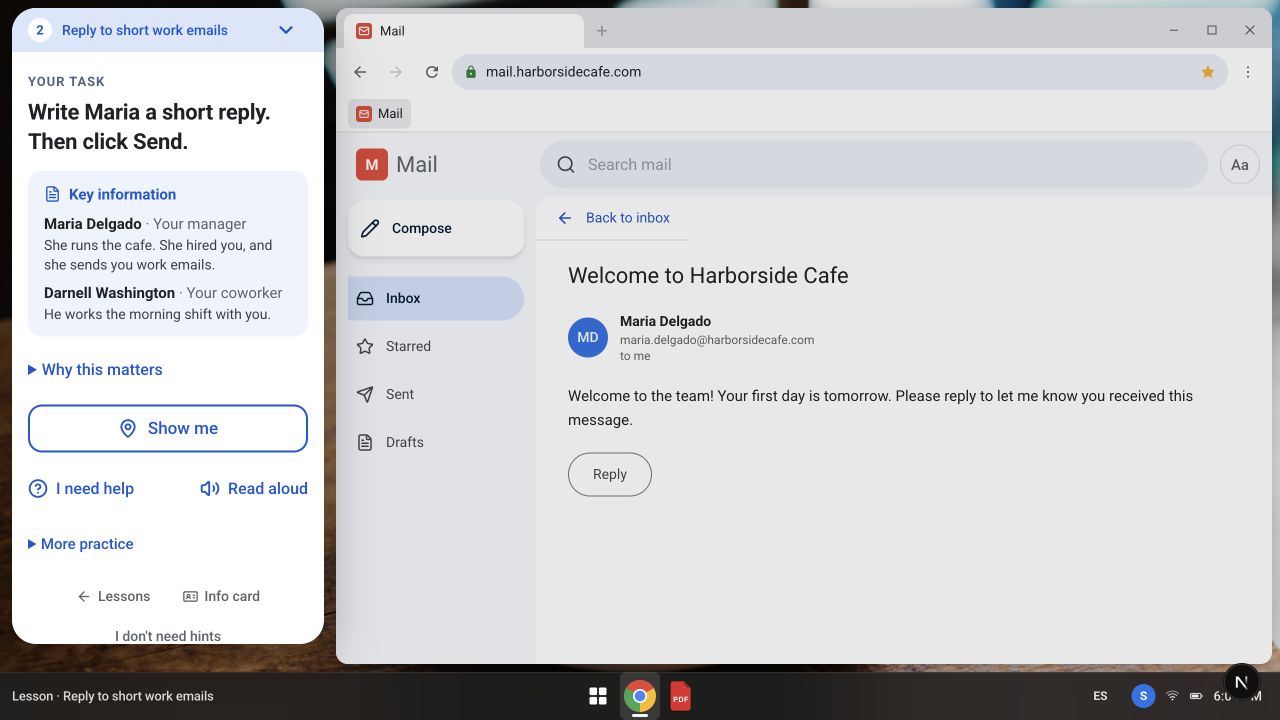
One task, one source of guidance. The Job Card stays beside the work so a learner can refer to the people, context, and next step.
Local development preview · Fictional scenario data · October 7, 2026 · Select image to enlarge01 / The need
“Use the computer” contains a lot of hidden steps.
Replying to a supervisor’s email requires more than knowing vocabulary. Someone has to recognize the inbox, open the right message, interpret the request, find Reply, and know whether the message was sent. A familiar task for one person can contain a whole sequence of unfamiliar decisions for another.
I wanted a place to rehearse those decisions with fictional people and information. A mistake in practice should create a chance to learn, without sending a real message or changing a real workplace record.
02 / The learner experience
Practice the situation, as well as the button.
The simulator presents a computer workspace with a browser, tabs, a file reader, and a bottom shelf. Activities use recognizable workplace situations: answering short emails, checking schedules, working with files, reading information, and entering data.
In the email lesson shown here, a learner receives a welcome message from a fictional manager. The reference information identifies the people involved. The task is to understand the request and write a reply, inside an email interface.
Teachers can use individual lessons without an account. Story mode connects tasks across a longer experience, with directions that include office work, healthcare/front-desk situations, and college preparation. These are different ways into the same practice environment.
03 / A central design decision
One instruction voice.
An earlier version had six competing instruction surfaces. For someone learning the interface, that also meant deciding which voice to follow. I brought that guidance into the Job Card: the task reports what is happening, and the card tells the learner what they need to know.
The card keeps key information nearby and offers help, read-aloud support, and a “Show me” action. English and Spanish copy run through the learner experience. Guidance belongs beside the task, where it can be used.
Wrong actions are designed to lead to a short correction and another attempt. The project also limits how many tasks belong to a level. Those choices make pacing and recovery part of the structure of the product.
04 / The work behind the practice
A finished task should mean something specific.
The implementation connects scenario writing, interface behavior, progress, and feedback. Checks cover content wiring in both languages, the next step after a task, and the rules that judge an answer. An incorrect rejection can stop a learner who has no way to argue with the software.
Individual lessons and story mode share task components, so improving a task can benefit both experiences. Saved writing and summaries give learners a way to revisit what they practiced; failed saves need a recoverable path.
This is still work to test with learners. Completing a simulation shows that someone completed that scenario; it doesn’t establish independent workplace readiness. Observing where people hesitate, what help they need, and what transfers to another tool is part of the next stage.
How it’s built
Built with Next.js, React, TypeScript, and PostgreSQL. A shared desktop and task system supports both guest lessons and signed-in story progress. Tests cover bilingual content, task progression, grading behavior, and key browser flows.
More of the experience
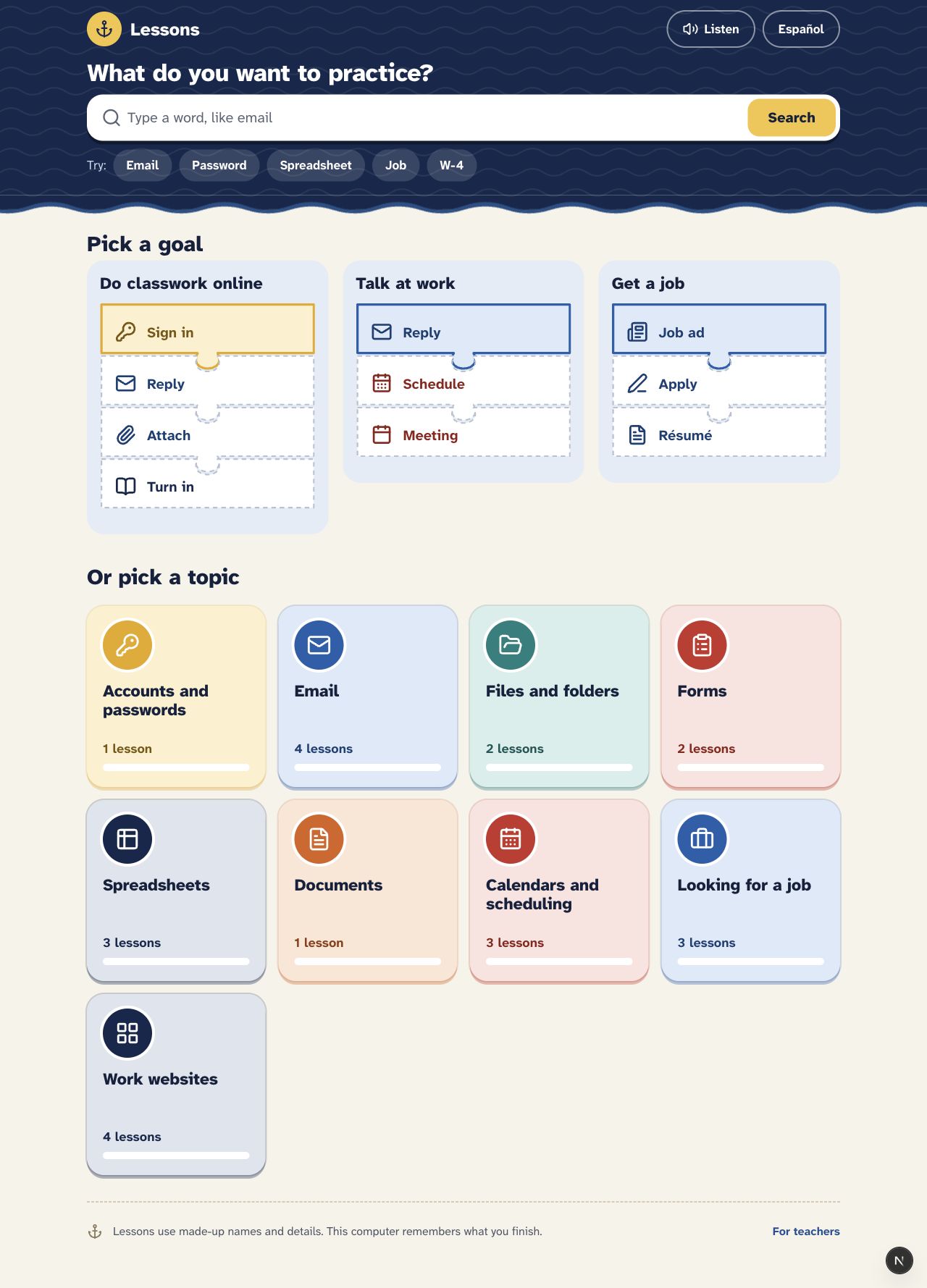
Choose a goal or a topic
The lesson library offers entry points such as classwork, workplace communication, and job applications.
Local preview · Guest lessons · October 7, 2026 · Select image to enlarge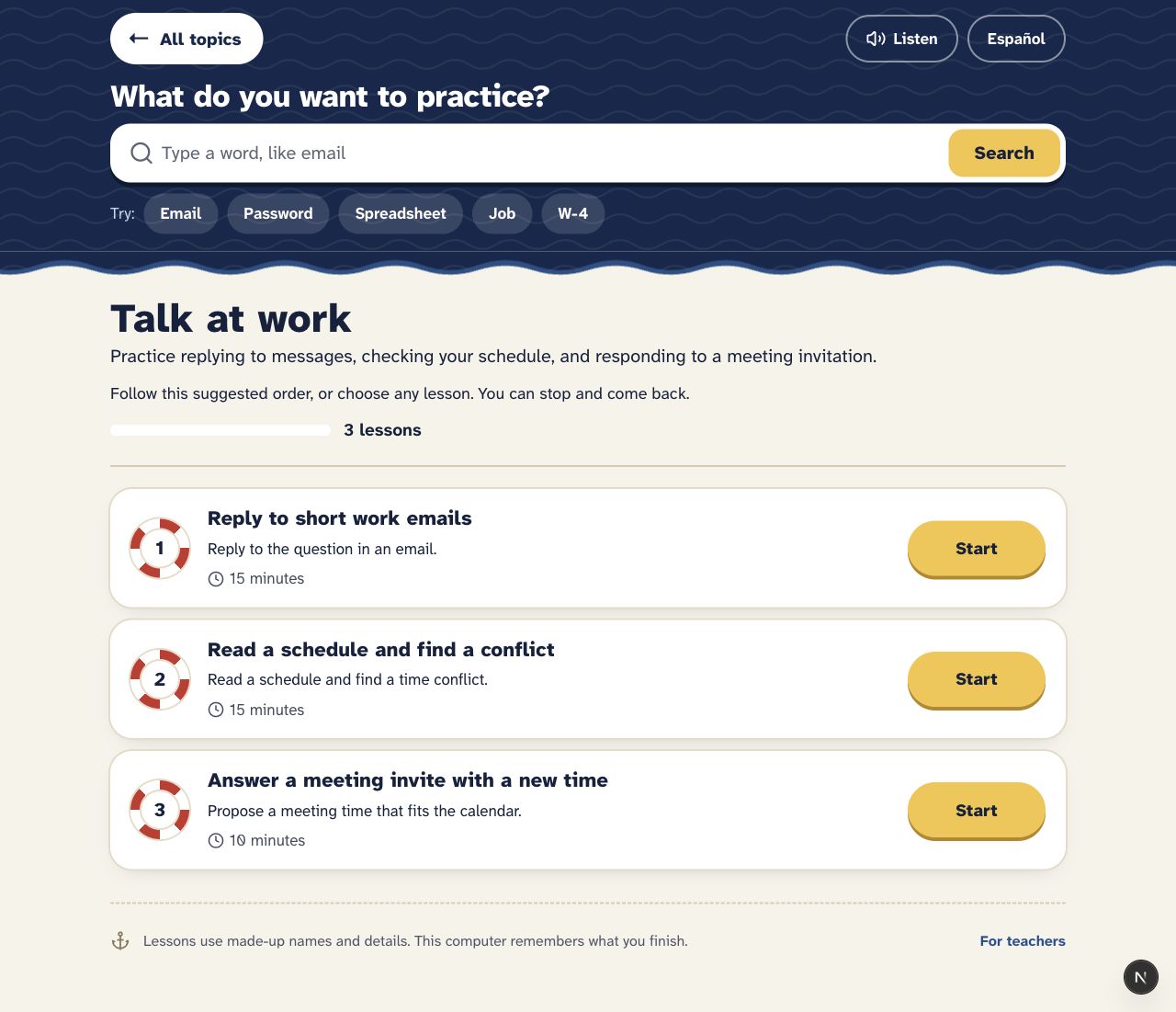
Follow a sequence, or choose a lesson
The workplace communication pathway connects email, schedules, and meeting invitations without locking a learner into an order.
Local preview · Guest lessons · October 7, 2026 · Select image to enlargeSkills put to use
Making a service easier to access?
My work spans education, legal aid, and community support. If you’re helping people navigate a difficult system—or making that system easier to use—I’d like to hear what you’re working on.
Tell me what you’re working on